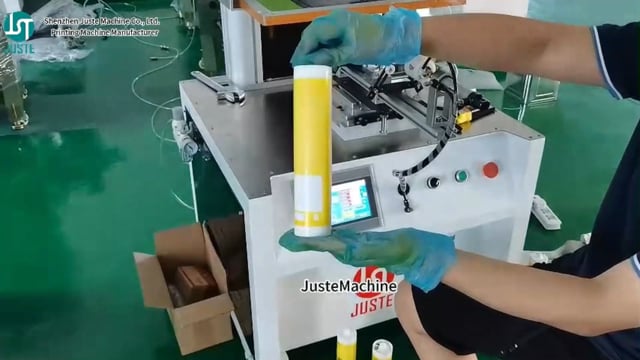
Mașină automată de serigrafie pentru cupe de cafea
Te confrunți cu înregistrarea inconsistentă pe ceștile de cafea conice? Mașină de serigrafie pentru pahare complet automată JST-R300 rezolvă aceasta cu precizie servo – imprimând până la 4.500 de căni pe oră with Precizie de ±0,1 mm. Acest articol explică fluxul complet de imprimare și oferă soluții pentru probleme comune precum decojirea cernelii sub gheață, fantoma imprimării și nepotriviri ale dispozitivelor de fixare. Și nu doar citești despre asta: al nostru Ingineri vorbitori de engleză vă va arăta întregul proces în direct, printr-un apel video, folosind propriile probe de produs.
În această demonstrație veți vedea:
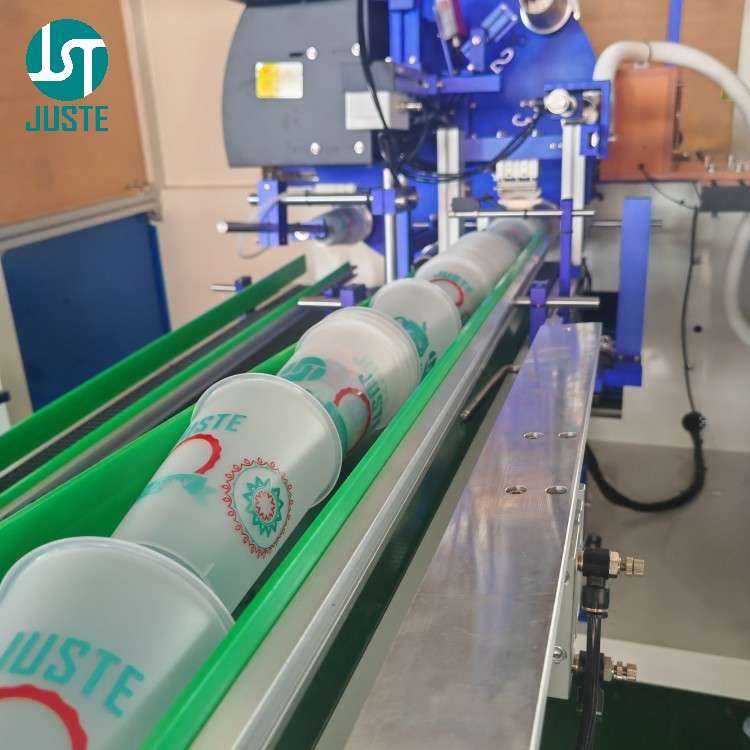
✅ Cum sistemul de încărcare automată alimentează paharele continuu fără blocaje.
✅ De ce tratamentul corona este skipped for paper cups – și când este necesar pentru plastic
✅ How a senzor de linie de cusătură (opțional) evită imprimarea peste cusătura paharului de hârtie
✅ The stație de cu motoare servo duble, mandrină electromagnetică și înregistrare instantanee
✅ Cum Întărire UV‑LED (1 kW, 395 nm) livrează rezultate instantanee, rezistente la zgârieturi
✅ Descărcare automată, stivuire și numărare – toate fără intervenție manuală
✅ Și în final, cel finalizat Cană de cafea în stil Starbucks – net, durabil și gata pentru branding
👉 Preferi să urmărești mai întâi? Inginerul nostru va rula același proces cu designul cănii tale într-un apel video privat – nu este nevoie de traducător. Programați-vă demo-ul live gratuit acum.
Fiecare imprimare se așează exact acolo unde trebuie – chiar și la treceri multiple pentru lucrări multicolore.
4.500–4.800 buc/oră
Randament ridicat pentru comenzi comerciale, dar complet automat, astfel încât economisiți costurile cu forța de muncă.
Masă rotativă cu 8 stații
Pretratarea, imprimarea, întărirea și descărcarea au loc simultan – fără timp mort.
Construit de un producător real
9.000 m² fabrică, 10 centre CNC și inginerie proprie din 2013.
Vorbește cu inginerii noștri – în engleză
No language barrier. Our 20‑year PLC expert speaks fluent English and joins your video call to answer technical questions on the spot.
Free pre‑shipment video inspection
We walk you through your finished machine before it’s crated – you see every detail, and we adjust if needed.
Pas cu pas: Cum imprimăm o cană de cafea în stil Starbucks
All images below show real production on the JST‑R300 at our Shenzhen factory.
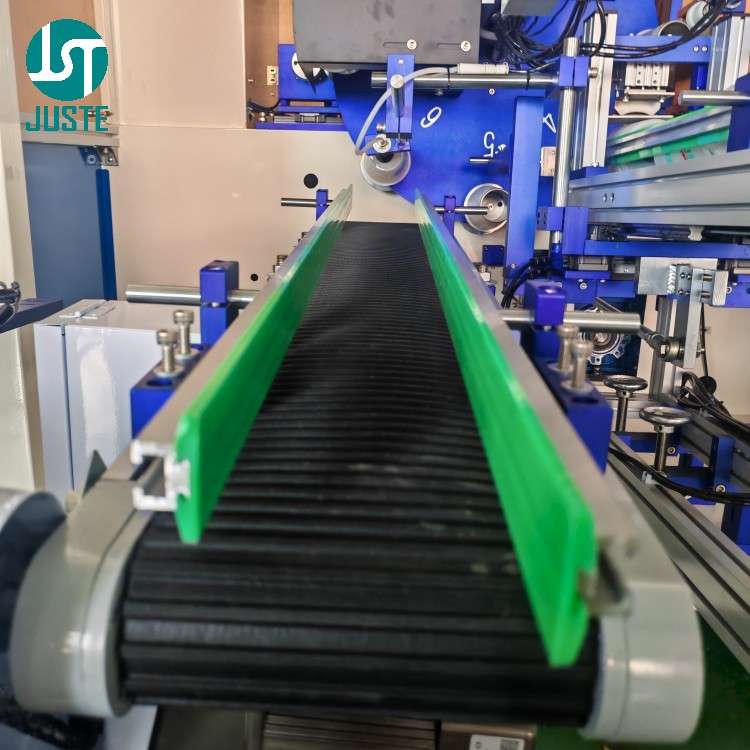
Step 1: Auto‑Loading Magazine & Conveyor
Automatic cup screen printing machine loading magazine with sensor
The operator places stacks of blank cups onto the loading magazine. An infrared sensor on the conveyor detects when cups are running low; if empty, the air cylinder lifts the magazine and transfers a new batch onto the belt. This ensures continuous feeding – no manual reloading during production.
Step 2: Pick‑and‑Place Robotic Arm
Robotic arm loading cup into 8-station turntable on automatic screen printer
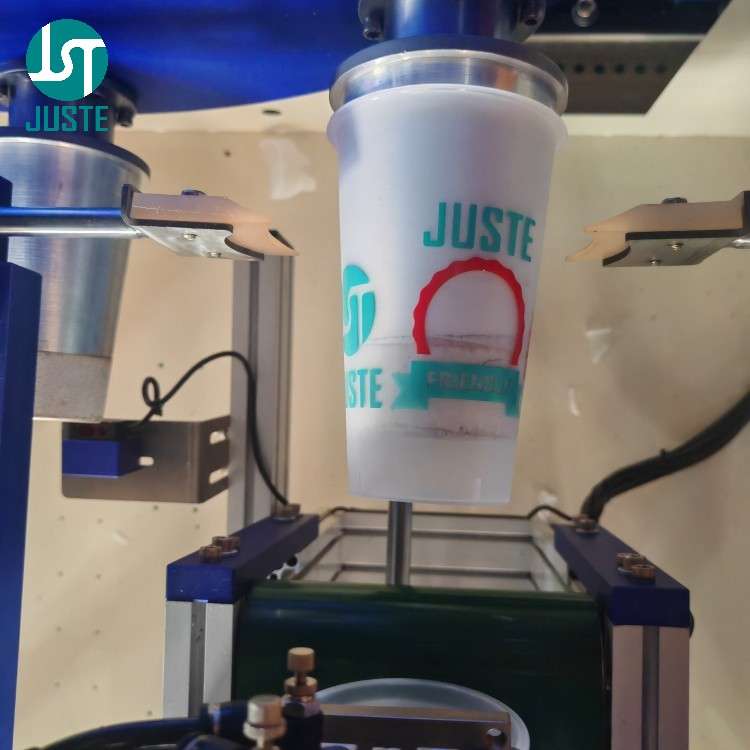
A servo‑driven robotic arm picks each cup from the conveyor and places it into a custom‑machined fixture on the 8‑station turntable. The fixture is CNC‑machined in‑house (accuracy ±0.01 mm) to perfectly match the cup’s taper, guaranteeing zero movement during printing.
🔧 Trust anchor: All fixtures are made on our own 10 CNC machines – we control quality and lead time.
Corona treatment unit on cup screen printing machine for PP PET cups
Pentru PP, PET, or PVC cups, this station increases surface energy so that UV ink adheres strongly. However, in this paper cup demo we skip corona treatment – paper fibres naturally absorb the ink, so no pre‑treatment is needed. The machine’s PLC allows you to enable/disable this station with one touch.
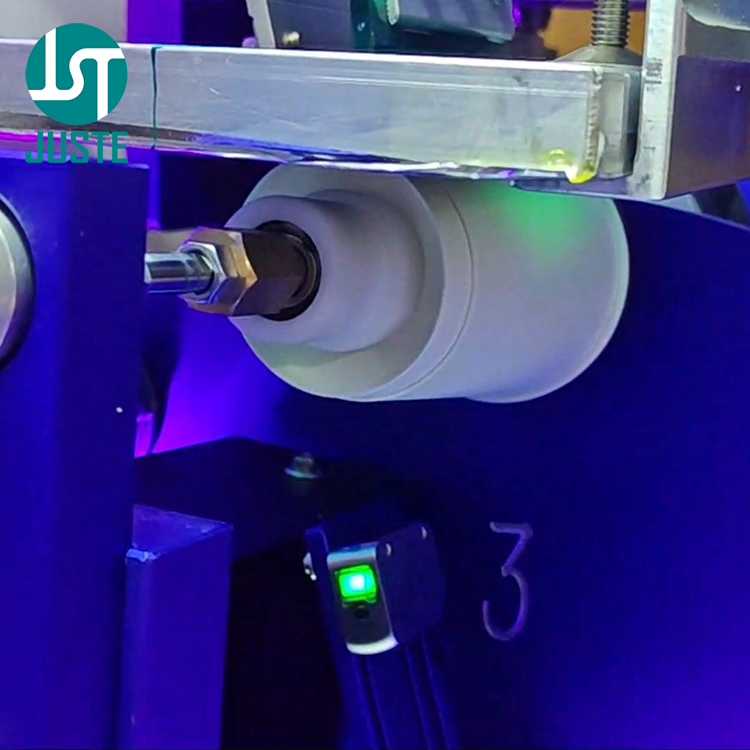
Step 4: Empty‑Fixture Detection – Prevent Ink on Tooling
Empty fixture detection sensor on automatic cup screen printer
Before the turntable advances to the printing station, a sensor checks whether a cup is actually seated in the fixture. If no cup is detected, the machine alarms and stops the print head – preventing expensive UV ink from being squeezed directly onto the tooling. This feature reduces waste and tool‑cleaning downtime.
Step 5: Seam‑Line Sensor (Optional Add‑on for Paper Cups)
Seam line sensor for paper cup screen printing machine
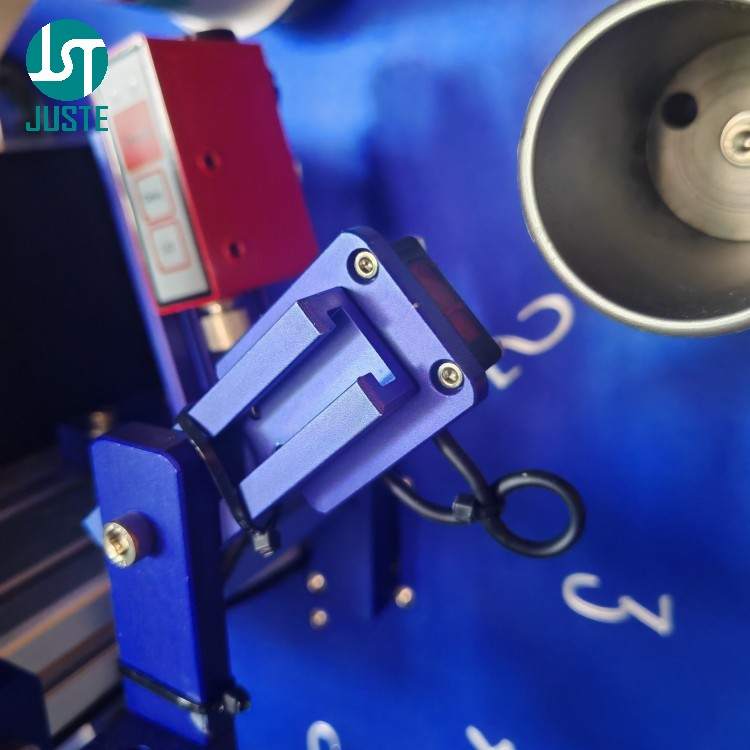
Paper cups have a vertical seam that creates an uneven surface. This optional sensor detects the seam’s position and signals the PLC to skip printing over that area – so your logo never lands on the seam, ensuring a professional finish.
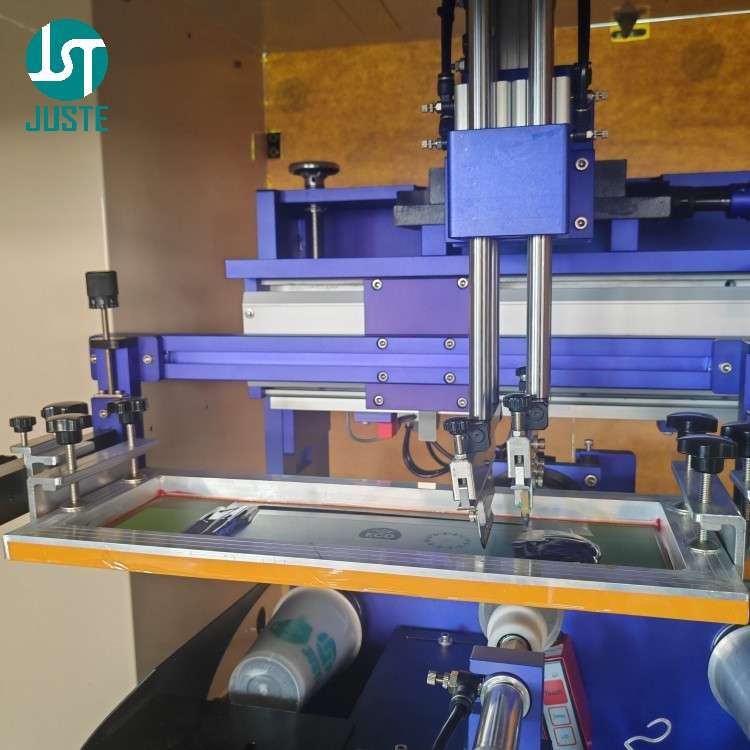
Step 6: The Printing Station – Precision in Motion
Printing station of automatic cup screen printing machine with dual servo motors
This is the heart of the machine.
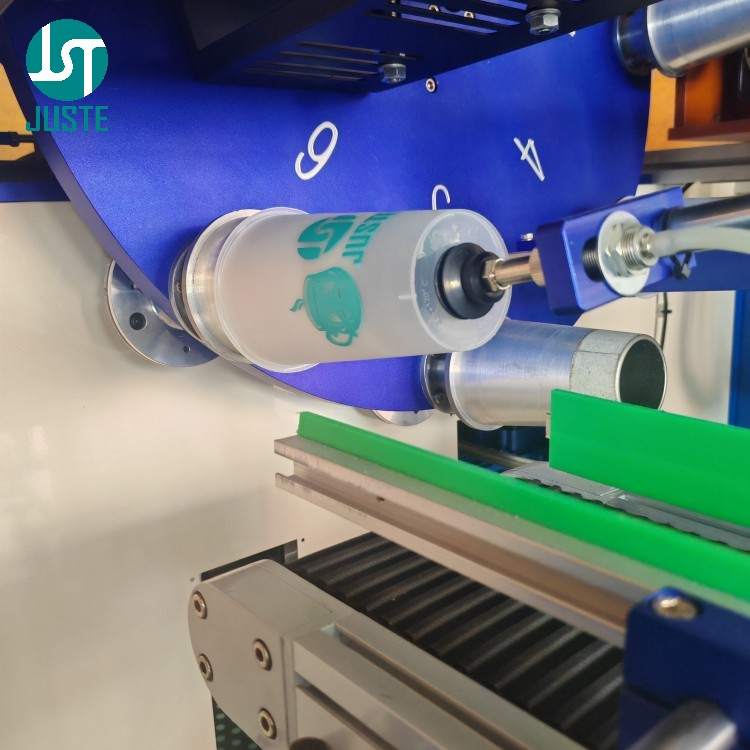
Un electromagnetic chuck behind the fixture engages and holds the cup firmly.
O rotary servo motor spins the cup in perfect sync with the screen’s movement.
Meanwhile, a linear servo motor drives the screen (mesh) left and right via a TBI precision screw.
The squeegee presses down, transferring UV ink through the mesh onto the cup surface.
All movements are controlled by the PLC and two servo motors – giving you the ±0.1 mm registration that makes multi‑colour jobs possible.
📐 Fixture Customization for Different Cup Sizes: Since cups from 4oz to 32oz vary significantly in diameter, taper, and height, we provide custom‑machined fixtures for each size. This three‑point support design ensures the cup remains stable during printing, thereby avoiding ghosting or misregistration caused by movement. For example, a 32oz large cup requires a dedicated fixture with taller support posts.
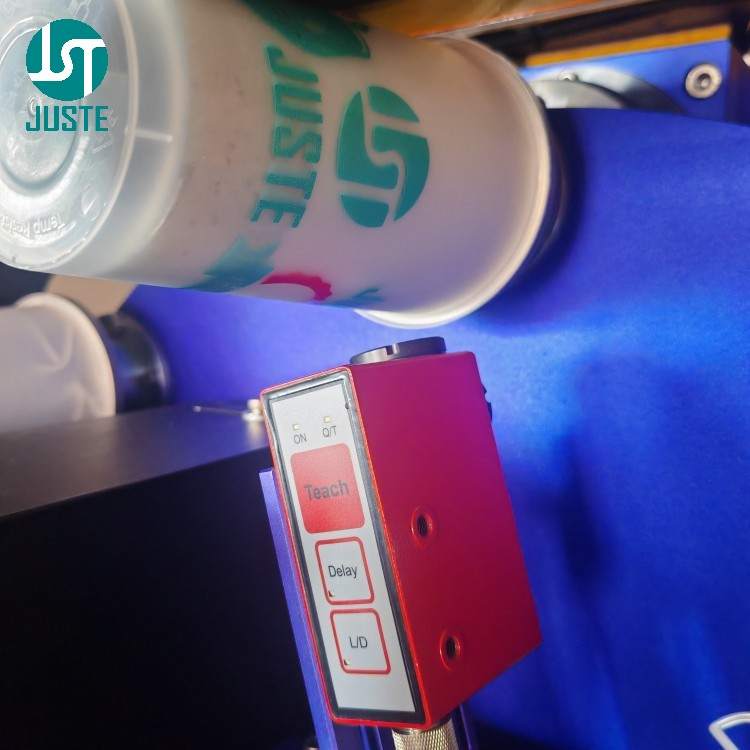
Step 7: Sensor Swap for Multi‑Colour Overprint
Leuze contrast sensor for high-precision overprint on cup screen printer
To print a second colour, we switch the seam‑line sensor (for paper cups) with a Leuze contrast sensor. This sensor detects registration marks printed in the first pass and guides the second screen for perfect alignment – achieving multi‑colour results through sequential overprinting, all with the same single print head.
This is how we turn a single‑colour machine into a multi‑colour printer – without investing in a 4‑colour carousel.
Step 8: UV‑LED Curing – Instant, Energy‑Efficient
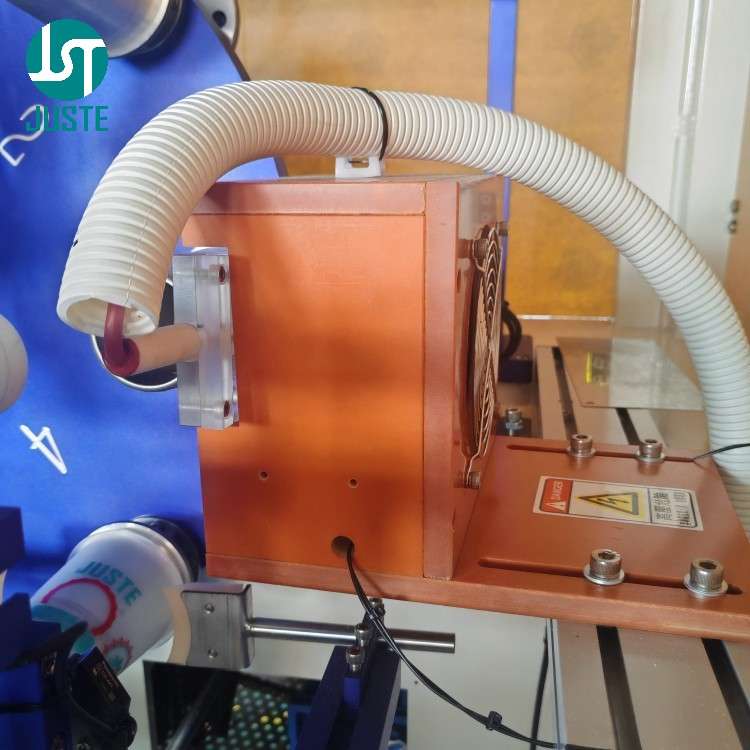
UV LED curing station on cup screen printing machine 1kW 395nm
Immediately after printing, the cup passes under a 1 kW UV‑LED lamp (395 nm). The UV light instantly polymerises the ink, so cups can be stacked or packed right away – no drying racks, no waiting. You can adjust curing time directly on the touchscreen PLC to match your ink and cup material.
Step 9: Auto‑Unloading with Vacuum Suction
Automatic unloading arm with vacuum suction for printed cups
A second robotic arm picks the cured cup from the turntable using vacuum suction and places it onto an outfeed conveyor. Important design note: the fixture must not be too tight – otherwise the suction may not release the cup. Our engineers always verify the fit during fixture design to avoid this issue.
Step 10: Automated Stacking & Counting
Automatic stacking and counting system for screen printed paper cups
Cups on the conveyor are aligned and pushed into a stacking magazine. A sensor counts the cups; when the stack reaches a pre‑set count (say 50), an air cylinder separates it, and the stack is pushed to the packaging area. No manual counting or stacking – the machine does it all.
Step 11: Finished Product – Starbucks‑Style Coffee Cup
Finished Starbucks coffee cup screen printed with sharp logo(1)
The final result: a beautifully printed tapered paper cup, with crisp edges, accurate registration, and a durable finish that survives hot beverages. Whether you are printing for coffee chains, bubble tea shops, or catering suppliers, the JST‑R300 delivers consistent quality – and you can verify it before you buy.
Întrebări frecvente (FAQ)
Î: Sunteți un producător sau o companie comercială? A: We are a producător direct – Shenzhen Juste Machine Co., Ltd., established in 2013. We own a 9,000 m² factory with in‑house CNC, assembly, and testing lines. You deal with the factory, not a middleman. → Book a live video tour of our factory with our English‑speaking sales team.
Q: Can this machine print on my specific product (tapered cups, bowls, plastic bottles)? A: Yes – it handles tapered cups, bowls, and conical containers from 4 oz to 32 oz, made of paper, PP, PET, or PVC. We custom‑machine fixtures for your exact product. (Note: it cannot print on straight cylindrical cups – the taper is essential for proper registration.) → Send us your sample for a free print test and live demo.
Above: Fixture size comparison – 4oz (left) vs 32oz (right). Each cup size requires a dedicated fixture for stable three‑point support.
Î: De ce prețul dumneavoastră este mai mare decât al altor furnizori? A: Because we don’t cut corners. We use genuine HIWIN guides, AIRTAC pneumatics, and TBI screws – all verified brands. Our machines undergo 48‑hour burn‑in and every unit is individually tested with your product before shipping. Based on our experience with clients in 120+ countries, paying slightly more upfront saves you far more in downtime and repairs. → Let us calculate your ROI based on your production volume.
Î: Inginerii dumneavoastră vorbesc engleză? Putem comunica fără translator? A: Absolutely. Our senior mechanical and PLC engineers are fluent in English – they will join your video call directly to answer technical questions, explain machine settings, and even guide you through maintenance procedures. No translation delays, no misunderstandings. → Schedule a 15‑minute video call with our English‑speaking engineer.
Q: Pot vedea mașina tipărind produsul meu înainte de a plăti? A: Yes – we offer a demonstrație video live gratuită where we run your actual product samples. You’ll see the entire process in real time, and our engineer will explain every step in fluent English. If you’re not 100% satisfied, there’s no obligation. → Request your free live sample‑printing video now.
Î: Pot să îmi inspectez mașina înainte de a fi expediată? A: Yes – we conduct a pre‑shipment video inspection with you. We’ll walk through the machine, show you the component brands, run a test, and confirm all configurations. Only when you sign off do we pack and ship. → Arrange your pre‑shipment video inspection.
Î: De ce se desprinde sigla imprimată când adaug gheață în pahar? A: This happens because standard inks become brittle and lose adhesion at low temperatures. For cold‑drink applications, we recommend low‑temperature resistant PP screen printing ink, which maintains adhesion in freeze tests down to -38°C. We can recommend specific ink models based on your cup material and usage scenario. → Contact us for the perfect ink solution for your cold cups.
Q: Why do my printed cups have ghosting or blurry images?
A: Ghosting usually comes from two causes: unstable fixturing (the cup moves during printing) or uneven squeegee pressure. Our JST‑R300 utilizează un mechanical rack‑and‑pinion drive combined with a three‑point stable fixture to minimise mechanical vibration. We also provide technical support to help you adjust squeegee pressure (recommended 2.5‑3.0kg) for optimal results. → Contact us for technical support on ghosting issues.
Q: What maintenance does the machine require after printing?
A: After each printing session, we recommend cleaning the screen mesh with solvent de spălare a ecranelor to remove residual ink and prevent clogging. Regular cleaning extends mesh life and ensures consistent print quality. Our English‑speaking engineers can guide you through the complete maintenance procedure on a video call. → Download our maintenance checklist or schedule a walkthrough.
Cum să curățați plasa ecranului după imprimare (Ghid rapid)
Since screen mesh cleaning is essential for maintaining print quality, here are the basic steps:
Remove the screen frame from the machine and place it on a flat, clean surface.
Apply solvent de spălare a ecranelor evenly over the mesh surface using a soft sponge or brush.
Gently scrub both sides of the mesh to dissolve residual UV or solvent ink.
Rinse thoroughly with water and blow‑dry with low‑pressure air.
Inspect the mesh under light for any remaining ink particles – repeat if necessary.
💡 Sfat util: Our engineers can demonstrate this entire procedure on a live video call, tailored to your specific ink type and production volume. → Book a maintenance demo.
Ești gata să îți începi afacerea de tipărire?
You’ve just read a detailed walkthrough. Now imagine getting a private, real‑time video walkthrough of your own product being printed, guided by our 20‑year PLC engineer – totul în engleză fluentă, fără bariere de comunicare.
Here’s how it works:
Trimiteți-ne designul dvs. și câteva mostre de produse goale.
We custom‑machine a fixture and run your print test.
We go live on video – our English‑speaking engineer shows you everything, answers your technical questions on the spot, and you see the final print result in real time.
There is zero risk. If you’re not 100% convinced, you walk away with no obligation. And before shipping, we’ll do a pre‑shipment video inspection with you, so you know exactly what’s in the crate.
Not sure which masina de serigrafie fits your cup? Or need a custom fixture? Click the image below to chat with us directly.