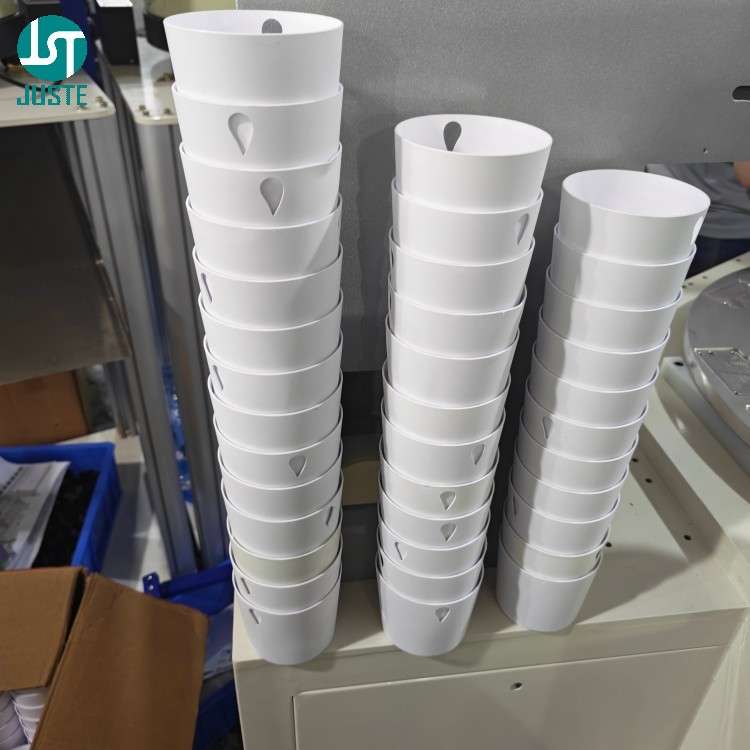
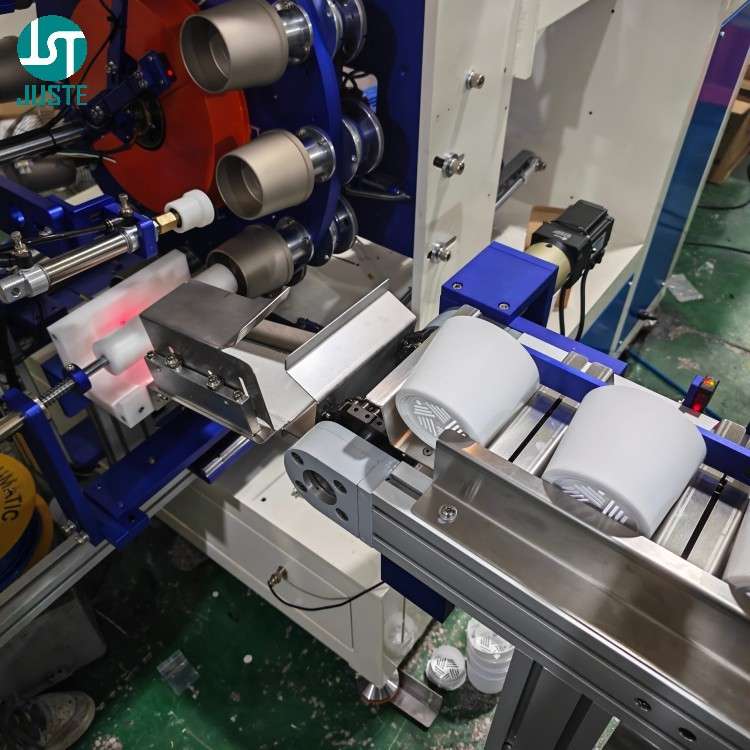
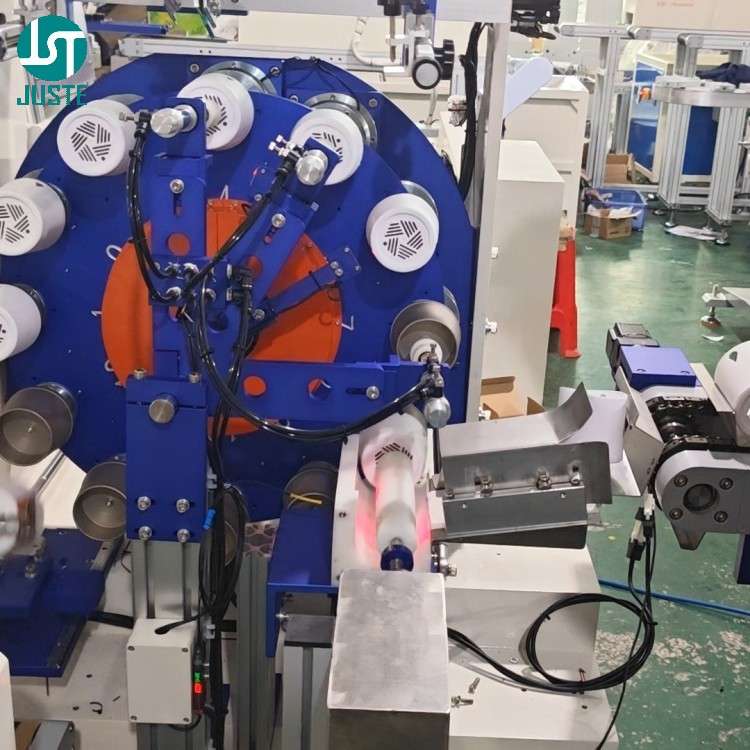
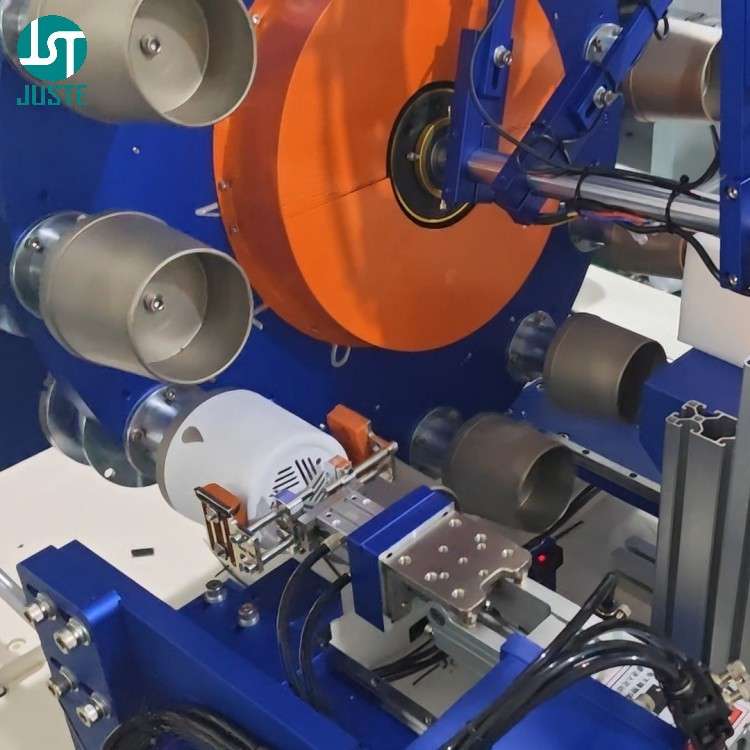
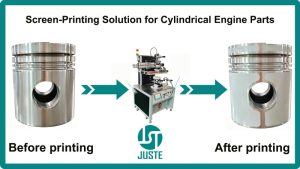
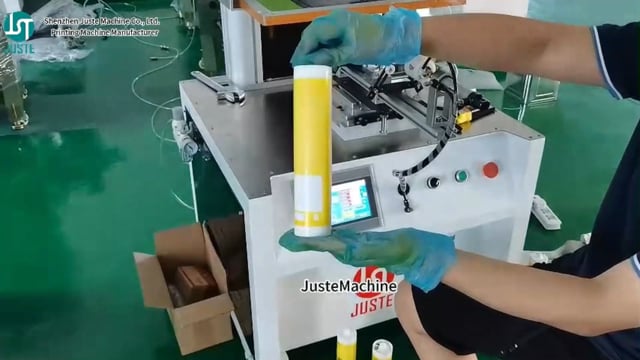
A cylindrical push-rod gently pushes each product onto the mold mounted on the convex divider (cam indexing drive) — this loading method is specifically engineered for non-stackable cylindrical products.
Because standard screen printers rely on gravity or simple slides for loading, therefore they struggle with true cylindrical shapes that roll unpredictably. By designing a push-rod mechanism that aligns each product horizontally, we ensure consistent positioning at every cycle, thus preventing misalignment that causes off-center prints or rejects.
We custom-machine fixtures for each product type and material using our in-house CNC workshop (10+ centers, ±0.01 mm accuracy). Since a 4oz bottle and a 32oz bottle have different diameters and wall thicknesses, therefore each requires a dedicated fixture. This ensures the product is held firmly during printing and prevents the micro-vibrations that cause ghosting and blurring.
⚠️ Common Problem: Print ghosting or blurring? This is often caused by insufficient fixture support. Our three-point contact fixture design eliminates product wobble. During your free live video call, our engineer will show you exactly how we match fixtures to your product dimensions.
During your free live video tour, our engineer will show you exactly how we design and machine these fixtures — all in fluent English, with no translation needed.
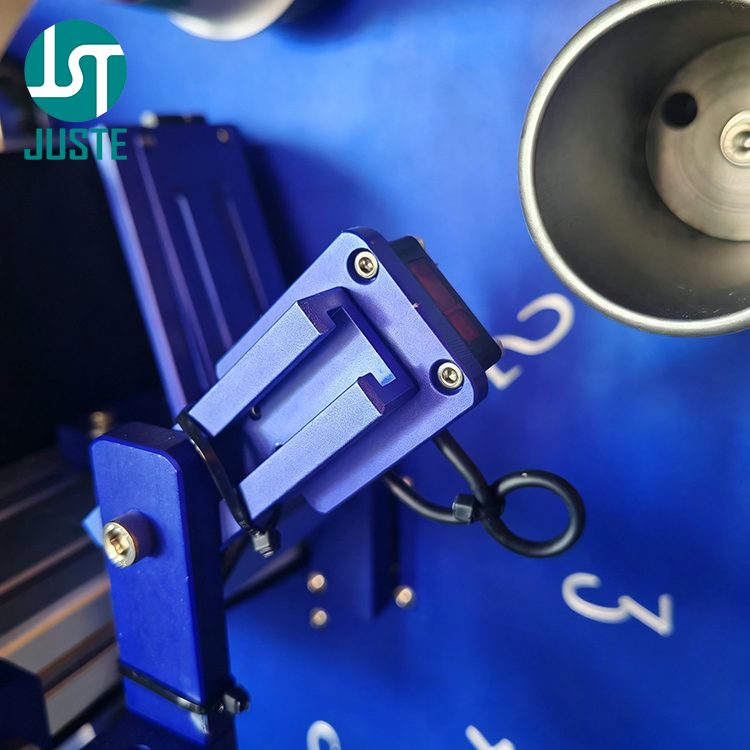
Step 4: Product Detection Sensor — No Product, No Print
Product detection sensor on turntable checking for cylindrical product presence
An optical sensor checks whether a cylindrical product is present on each fixture before printing begins.
If the sensor detects an empty fixture, then the machine immediately stops and triggers an alarm, waiting for operator inspection. This safety mechanism ensures the squeegee never prints directly onto the mold, thus preventing costly tooling damage and ink waste. Since replacement molds can cost hundreds of dollars and days of lead time, this single sensor pays for itself on the first avoided incident.
Step 5: Printing Station — Adjusting Stroke Length for Perfect Logo Placement
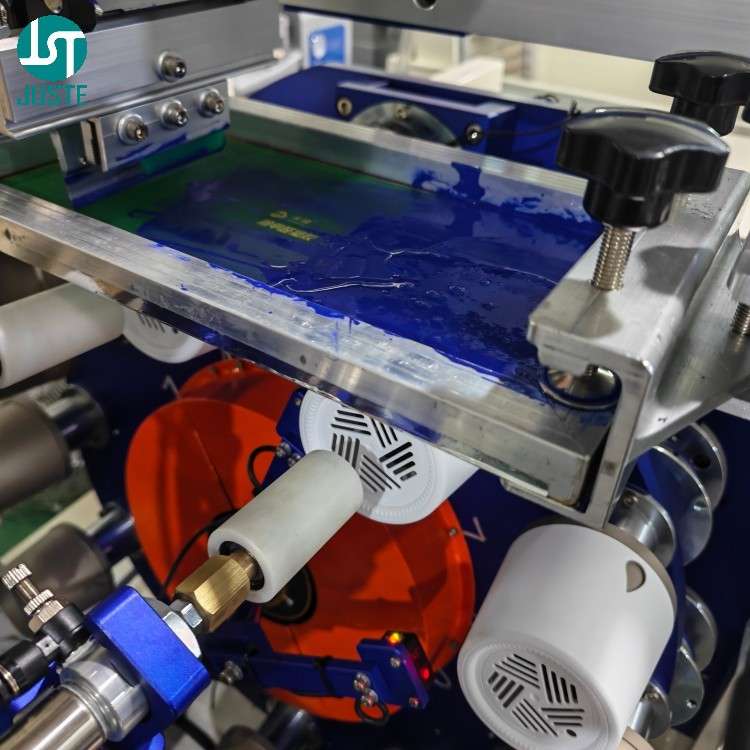
Printing station of cylindrical screen printing machine with squeegee and screen frame
The printing stroke length must be precisely calibrated: greater than the logo width, but less than the product circumference at the printing position.
Because the squeegee transfers ink only during its forward stroke, therefore a stroke that’s too short will leave the logo incomplete. Conversely, a stroke that’s too long will overlap the print or waste ink on unnecessary travel. By calibrating the stroke to match your specific logo and product diameter, we ensure crisp, complete transfer on every cycle.
Since different materials — plastic, glass, metal — have different surface energies, therefore ink formulation and pre-treatment must be adjusted accordingly. Our engineers will guide you through these settings during your live video call.
⚠️ Common Problem: Logo prints with dots or pinholes? This often indicates incorrect squeegee pressure or contaminated screen mesh. Our 20-year PLC engineer will show you how to diagnose this during your live demo — in fluent English, with real-time troubleshooting.
Step 6: Unloading Station — Mechanical Arm Removes Finished Parts
Mechanical arm unloading printed cylindrical parts onto conveyor after screen printing
A servo-driven mechanical arm gently grips each finished product, pulls it from the fixture, and transfers it to the unloading conveyor.
Because freshly printed ink is still wet, therefore any manual handling would risk smudging. By automating the unloading process with precise servo control, we ensure zero contact with the printed area, thus preserving print quality from the moment it leaves the screen until curing is complete.
This is the same process our English-speaking engineers will walk you through on a private video call — with your actual products.
Step 7: IR Tunnel Oven — Curing the Printed Cylindrical Products
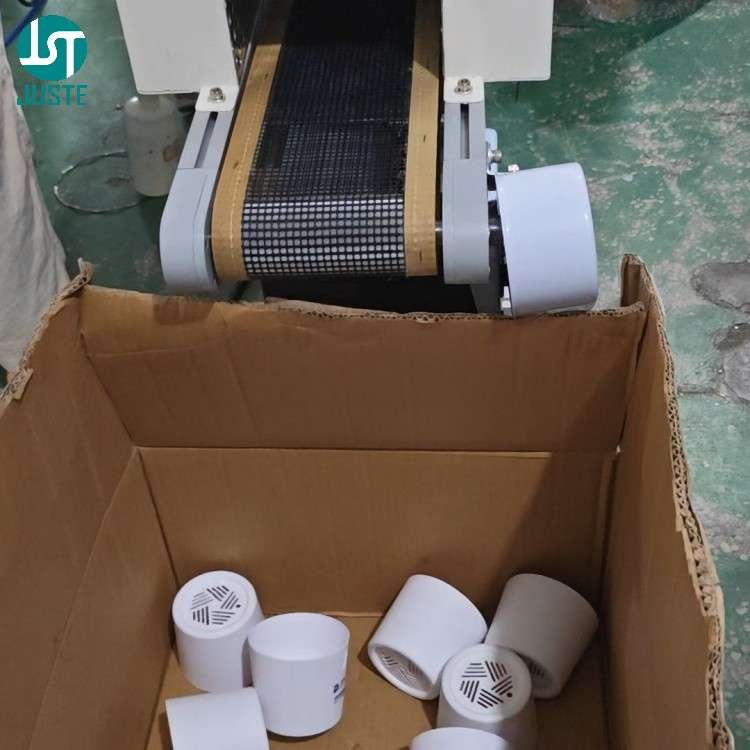
IR tunnel oven curing freshly printed cylindrical products after screen printing
Printed products move through the built-in IR tunnel oven (approximately 2 meters long) where heat permanently bonds the ink to the surface.
For plastisol inks on plastic and paper, the IR tunnel provides consistent 150–180°C heat that ensures full polymerization and prevents ink cracking or peeling. For glass and metal applications, we recommend UV ink with an optional UV curing system — since UV curing happens in under one second, therefore it enables even faster production speeds and superior adhesion on non-porous surfaces.
⚠️ Common Problem: Logo peels off when ice is added to the cup? This happens because standard inks become brittle at low temperatures. For cold-drink applications, our engineers recommend low-temperature PP inks that maintain adhesion from -38°C to +100°C. We’ll show you the difference during your live video demo.
After curing, products are collected in a bin at the end of the conveyor — ready for packaging and shipping.
Send us a few blank samples — plastic, glass, or metal — and we’ll run a custom demo just for you.
よくある質問(FAQ)
Q:御社は製造業者ですか、それとも商社ですか? A: We are a 直販メーカー — Shenzhen Juste Machine Co., Ltd. — established in 2013 with our own 9,000+ m² factory. We design, machine, assemble, and test every machine in-house. You’re buying directly from the source, not through a middleman. Every machine undergoes a 48-hour burn-in test before shipment — we don’t ship problems, we ship solutions.
Q: Can this machine print on my specific product — plastic, glass, or metal? A: Yes — this machine is custom-modified for true cylindrical products made of plastic (PP/PET/PVC), glass, metal, and paper. It does not handle conical, oval, or flat shapes (we offer separate models for those). Send us a blank sample, and we’ll test-print it on video so you can see the results yourself. Our engineers will recommend the optimal ink + curing combination for your material.
Q: 他社よりも価格が高いのはなぜですか? A: Because of what’s inside — HIWIN linear guides, SMC valves, and AIRTAC pneumatic components, not generic parts. Our machines undergo a 48-hour burn-in test before shipment. And our in-house CNC workshop (±0.01 mm accuracy) ensures fixture precision that lower-cost suppliers can’t match. As we often tell our clients in over 120 countries: you pay for what you don’t see — the reliability that keeps your production line running.
Q: エンジニアは英語を話せますか?翻訳者なしでコミュニケーションできますか? 答え: Yes — absolutely. Our 20-year PLC engineer and our sales engineers all speak fluent English. We regularly conduct video calls where our engineers walk clients through machine setup, troubleshooting, and customizations — directly, with zero translation delays. No middleman. No miscommunication. Just clear, technical English.
Q: コップに氷を入れると印刷ロゴが剥がれるのはなぜですか? 答え: This happens because standard screen printing inks become brittle at low temperatures. For cold-drink applications, we recommend low-temperature PP inks that maintain adhesion from -38°C to +100°C. During your free live video demo, our engineer will show you the difference between standard and low-temperature inks on your actual product — and recommend the right solution for your production needs.
Q: Why does my printed logo have dots, pinholes, or look grainy? 答え: Dots or pinholes usually indicate one of three issues: incorrect squeegee pressure, contaminated screen mesh, or improper ink viscosity. During your free live video call, our 20-year PLC engineer will diagnose the specific cause based on your setup and show you how to fix it — in fluent English, with real-time troubleshooting on the machine.
Q: Why do my prints have ghosting, blurring, or double images? 答え: Ghosting is almost always caused by product movement during printing — usually insufficient fixture support or incorrect stroke pressure. Our three-point contact fixture design eliminates product wobble. Since we custom-machine every fixture for your specific product dimensions, therefore ghosting is virtually eliminated before it starts. Ask our engineer to show you the fixture design during your video demo.
Q: 支払い前に機械が製品を印刷しているのを見られますか? A: Yes — and we insist on it. Send us a few blank samples — plastic, glass, or metal — and we’ll run a free test-print on video. Our English-speaking engineer will show you the entire process in real time — not a pre-recorded generic video. You’ll see your logo on your product, and you can ask technical questions as we go. It’s zero-risk, zero-obligation.
Q: 出荷前に機械を点検できますか? A: Absolutely. We offer a 出荷前ビデオ検査 for every order. We’ll go live with you — walking through the machine, showing you the configuration, demonstrating that it meets all your specifications, and reviewing the 48-hour test report. You see exactly what’s going into the crate. And since our engineers speak fluent English, you can ask any question in real time.
Q: How do I clean the screen after printing? Does it require special care? 答え: Yes — screen cleaning is essential for maintaining print quality. After each production run, use screen wash/cleaner to remove residual ink from the mesh. Because dried ink blocks the mesh openings, therefore regular cleaning prevents pinholes and incomplete prints. We recommend mesh open time of 5–10 minutes before cleaning for best results. Our engineer will demonstrate the complete cleaning procedure during your live handover — in fluent English, step by step.
Q: 保証とテクニカルサポートは何を提供していますか? A: 1-year warranty with free replacement parts, plus 生涯テクニカルサポート. Our engineers remain available even after the sale — via email, WhatsApp, or video call. Many of our clients have been with us for 5+ years because of this ongoing support. We don’t just sell machines; we build long-term partnerships.
印刷ビジネスを始める準備はできていますか?
You’ve just walked through a full production cycle. Now imagine getting a プライベートなリアルタイムビデオウォークスルー of your own cylindrical products being printed, guided by our 20-year PLC engineer — すべて流暢な英語で、コミュニケーションの障壁はゼロです。.
Here’s how it works:
🔹 ステップ1: Send us your design file and a few blank product samples — plastic, glass, or metal
🔹 ステップ2: We custom-machine a fixture and run your print test
🔹 ステップ3: We go live on video — our English-speaking engineer shows you everything, answers your technical questions on the spot, and you see the final print result in real time
リスクは一切ありません。. If you’re not 100% convinced, you walk away with no obligation. And before shipping, we’ll do a 出荷前ビデオ検査 with you, so you know exactly what’s arriving at your facility.
Not sure if this 円筒スクリーン印刷機 fits your pen holder, airtight food container, drinking cup, sports water bottle, humidifier, glass jar, or metal container production? Or need a custom fixture for your specific cylindrical product?
👇 Click Alan’s photo below to chat with him directly on WhatsApp — he’ll send you a free tailored quote within 8 hours.