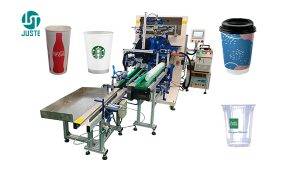
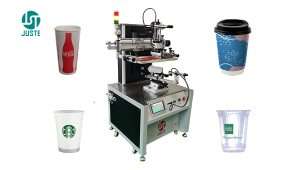
เครื่องพิมพ์สกรีนถ้วยอัตโนมัติสำหรับถ้วยกาแฟ
กำลังมีปัญหากับการลงทะเบียนที่ไม่สม่ำเสมอบนแก้วกาแฟทรงเรียวใช่หรือไม่? JST‑R300 เครื่องพิมพ์สกรีนแก้วอัตโนมัติเต็มรูปแบบ แก้ไขปัญหานี้ด้วยความแม่นยำของระบบขับเคลื่อนเซอร์โว – พิมพ์ได้สูงสุด 4,500 แก้วต่อชั่วโมง with ความแม่นยำ ±0.1 มม.. บทความนี้อธิบายขั้นตอนการพิมพ์ทั้งหมดและให้วิธีแก้ไขปัญหาทั่วไป เช่น การลอกหมึกภายใต้น้ำแข็ง, การเกิดภาพซ้อน (ghosting), และการไม่ตรงกันของฟิกซ์เจอร์ และคุณไม่ได้แค่อ่านเกี่ยวกับมัน: ของเรา วิศวกรที่พูดภาษาอังกฤษ จะแสดงให้คุณเห็นกระบวนการทั้งหมดแบบสดผ่านการโทรทางวิดีโอ โดยใช้ ตัวอย่างผลิตภัณฑ์ของคุณเอง.
ในตัวอย่างนี้ คุณจะเห็น:
- ✅ ระบบโหลดอัตโนมัติป้อนถ้วยอย่างต่อเนื่องโดยไม่ติดขัด
- ✅ ทำไมต้องมีการบำบัดด้วยโคโรนา จึงถูกข้ามไปสำหรับแก้วกระดาษ – และเมื่อจำเป็นต้องใช้สำหรับพลาสติก
- ✅ วิธีการ เซ็นเซอร์แนวตะเข็บ (ไม่บังคับ) หลีกเลี่ยงการพิมพ์ทับรอยต่อของแก้วกระดาษ
- ✅ การ สถานีพิมพ์ มาพร้อมกับมอเตอร์เซอร์โวคู่ หัวจับแม่เหล็กไฟฟ้า และการลงทะเบียนทันที
- ✅ วิธีการ การบ่มด้วย UV‑LED (1 kW, 395 nm) ให้ผลลัพธ์ที่รวดเร็วและทนต่อรอยขีดข่วน
- ✅ การขนถ่ายอัตโนมัติ การซ้อน และการนับ – ทั้งหมดโดยไม่ต้องใช้คน
- ✅ และสุดท้าย งานที่เสร็จสมบูรณ์ แก้วกาแฟสไตล์สตาร์บัคส์ – crisp, durable, and ready for branding
👉 ต้องการดูก่อน? วิศวกรของเราจะดำเนินกระบวนการเดียวกันกับ การออกแบบแก้วของคุณ ในการสนทนาทางวิดีโอส่วนตัว – ไม่จำเป็นต้องมีล่าม. จองการสาธิตสดฟรีของคุณตอนนี้.
เนื้อหา
ประโยชน์หลักโดยสรุป
| ผลประโยชน์ | ทำไมถึงสำคัญ |
|---|---|
| ความแม่นยำในการลงทะเบียน ±0.1 มม. | ทุกงานพิมพ์ลงตำแหน่งที่ควรจะเป็นอย่างแม่นยำ แม้จะผ่านการพิมพ์หลายรอบสำหรับงานหลายสี. |
| 4,500–4,800 ชิ้น/ชั่วโมง | ผลผลิตสูงสำหรับคำสั่งซื้อเชิงพาณิชย์ แต่เป็นระบบอัตโนมัติเต็มรูปแบบ คุณจึงประหยัดค่าแรงงาน. |
| โต๊ะหมุน 8 สถานี | การเตรียมก่อนพิมพ์ การพิมพ์ การบ่ม และการนำออกเกิดขึ้นพร้อมกัน – ไม่มีเวลาหยุดนิ่ง. |
| สร้างโดยผู้ผลิตจริง | โรงงานขนาด 9,000 ตร.ม. ศูนย์ CNC 10 แห่ง และวิศวกรรมในองค์กรตั้งแต่ปี 2013. |
| พูดคุยกับวิศวกรของเรา – ในภาษาอังกฤษ | ไม่มีอุปสรรคด้านภาษา ผู้เชี่ยวชาญ PLC ที่มีประสบการณ์ 20 ปีของเราพูดภาษาอังกฤษได้คล่อง และเข้าร่วมการประชุมทางวิดีโอของคุณเพื่อตอบคำถามทางเทคนิคได้ทันที. |
| ตรวจสอบวิดีโอก่อนจัดส่งฟรี | เราจะพาคุณเดินดูเครื่องจักรที่เสร็จสมบูรณ์ก่อนที่จะบรรจุลงกล่อง – คุณจะเห็นทุกรายละเอียด และเราจะปรับเปลี่ยนตามความจำเป็น. |
ทีละขั้นตอน: วิธีการที่เราพิมพ์แก้วกาแฟสไตล์สตาร์บัคส์
ภาพทั้งหมดด้านล่างแสดงการผลิตจริงบน JST‑R300 ที่โรงงานเซินเจิ้นของเรา.
ขั้นตอนที่ 1: แม็กกาซีนโหลดอัตโนมัติและสายพานลำเลียง
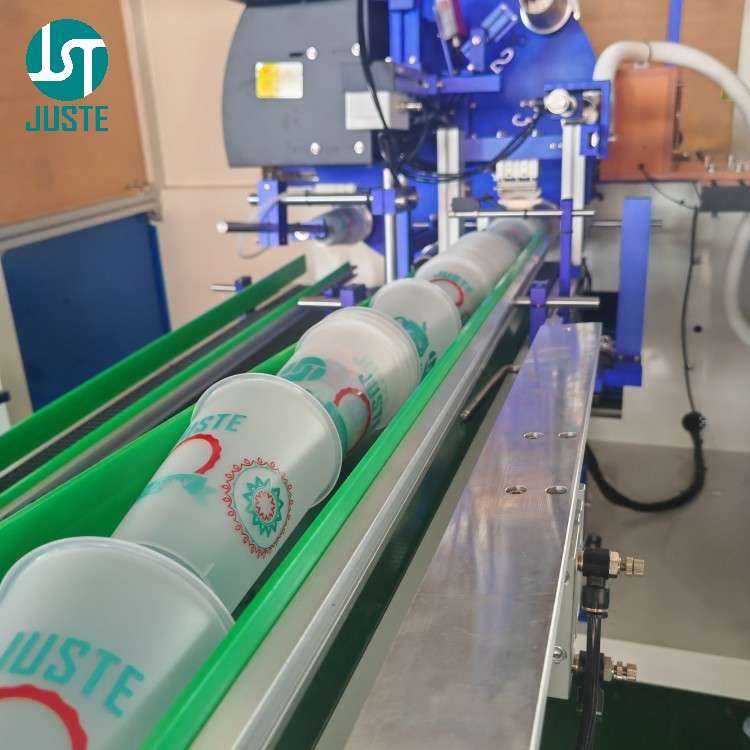
ผู้ปฏิบัติงานวางกองถ้วยเปล่าลงบนแม็กกาซีนบรรจุ infrared sensor บนสายพานลำเลียงจะตรวจจับเมื่อถ้วยมีน้อย หากว่างเปล่า กระบอกลมจะยกแม็กกาซีนและถ่ายโอนชุดใหม่ลงบนสายพาน เพื่อให้มั่นใจว่ามีการป้อนอย่างต่อเนื่อง ไม่ต้องโหลดซ้ำด้วยมือระหว่างการผลิต.
ขั้นตอนที่ 2: แขนกลหยิบและวาง
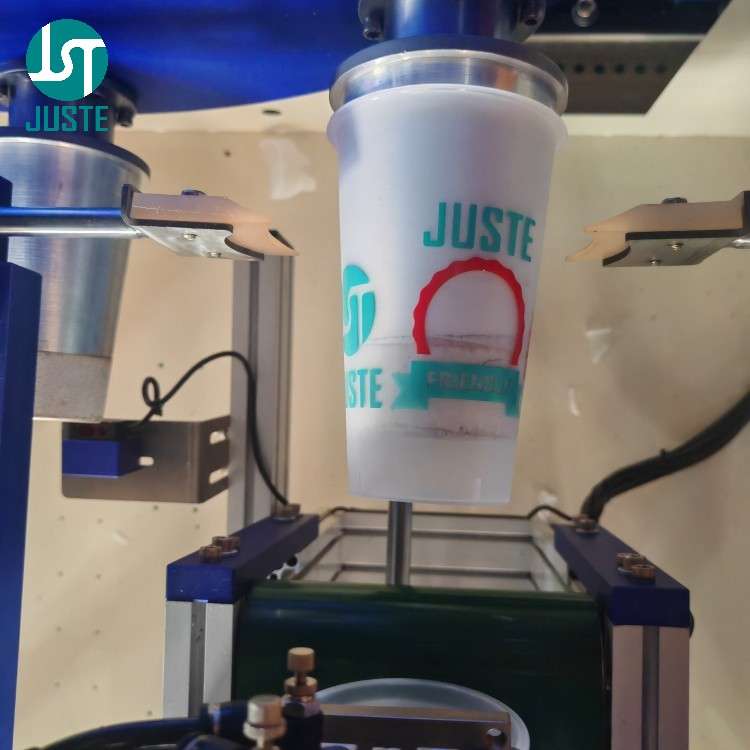
แขนหุ่นยนต์ที่ขับเคลื่อนด้วยเซอร์โวหยิบถ้วยแต่ละใบจากสายพานลำเลียงและวางลงใน custom‑machined fixture บนแท่นหมุน 8 สถานี อุปกรณ์ยึดชิ้นงานถูกผลิตด้วยเครื่อง CNC ภายในองค์กร (ความแม่นยำ ±0.01 มม.) เพื่อให้เข้ากับความเรียวของถ้วยอย่างสมบูรณ์แบบ รับประกันว่าไม่มีการเคลื่อนไหวใดๆ ระหว่างการพิมพ์.
🔧 จุดยึดความเชื่อถือ: อุปกรณ์จับยึดทั้งหมดผลิตจากเครื่อง CNC ของเราเอง 10 เครื่อง – เราควบคุมคุณภาพและระยะเวลาดำเนินการ.
ขั้นตอนที่ 3: การบำบัดด้วยโคโรนา (สำหรับถ้วยพลาสติก – ข้ามสำหรับถ้วยกระดาษ)
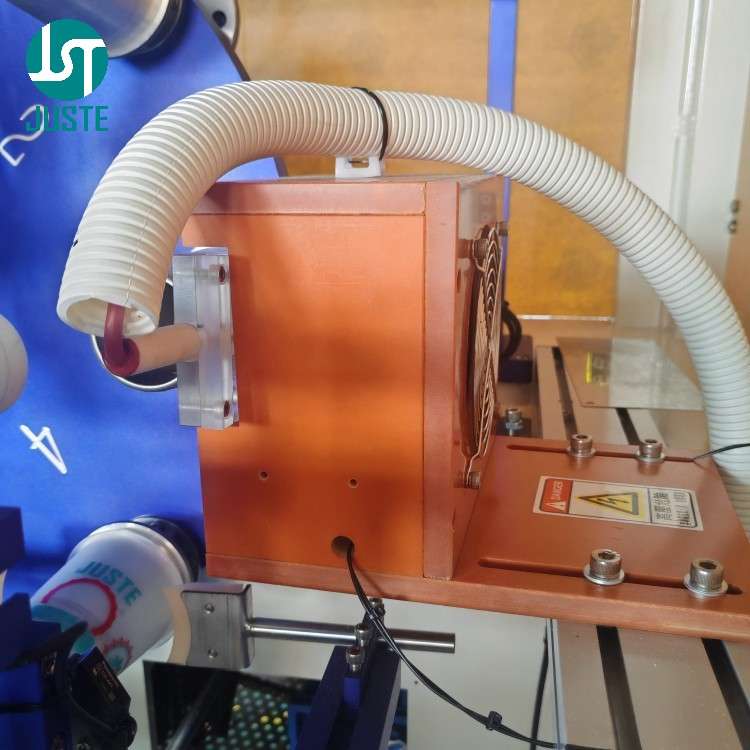
สำหรับ PP, PET หรือ PVC ถ้วย สถานีนี้เพิ่มพลังงานพื้นผิวเพื่อให้หมึก UV ยึดเกาะได้อย่างแข็งแรง. อย่างไรก็ตาม ในตัวอย่างถ้วยกระดาษนี้ เราข้ามการบำบัดด้วยโคโรนา – เส้นใยกระดาษดูดซับหมึกตามธรรมชาติ จึงไม่จำเป็นต้องมีการปรับสภาพล่วงหน้า PLC ของเครื่องช่วยให้คุณเปิด/ปิดสถานีนี้ด้วยการสัมผัสเพียงครั้งเดียว.
ขั้นตอนที่ 4: การตรวจจับฟิกซ์เจอร์ว่าง – ป้องกันหมึกบนทูลลิง
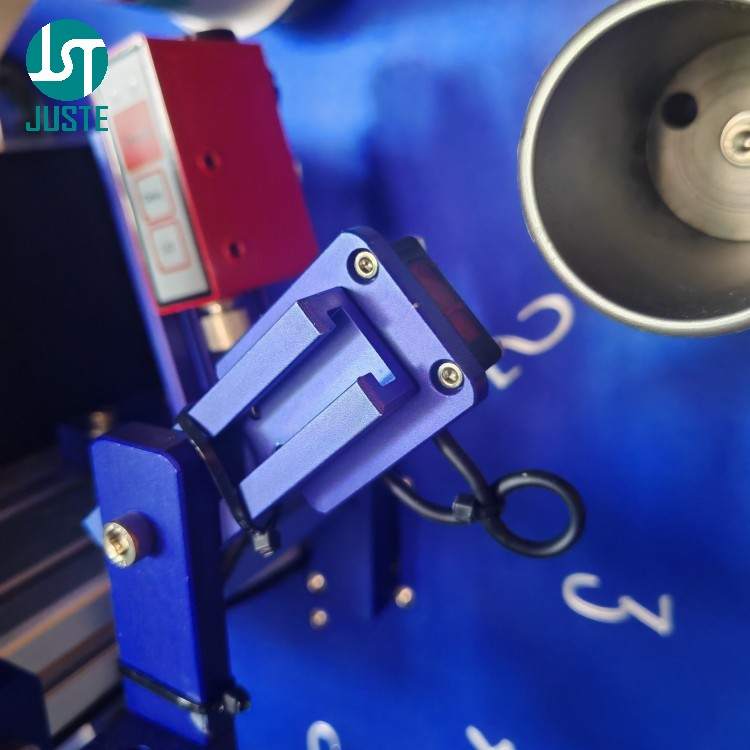
ก่อนที่โต๊ะหมุนจะเคลื่อนไปยังสถานีพิมพ์ เซ็นเซอร์จะตรวจสอบว่าถ้วยอยู่ในตำแหน่งที่กำหนดในฟิกซ์เจอร์จริงหรือไม่. หากไม่ตรวจพบถ้วย, เครื่องจะส่งสัญญาณเตือนและหยุดหัวพิมพ์ – ป้องกันไม่ให้หมึก UV ที่มีราคาแพงถูกบีบออกมาสู่เครื่องมือโดยตรง คุณสมบัตินี้ช่วยลดของเสียและเวลาหยุดทำงานในการทำความสะอาดเครื่องมือ.
ขั้นตอนที่ 5: เซ็นเซอร์ตรวจจับแนวตะเข็บ (อุปกรณ์เสริมสำหรับถ้วยกระดาษ)
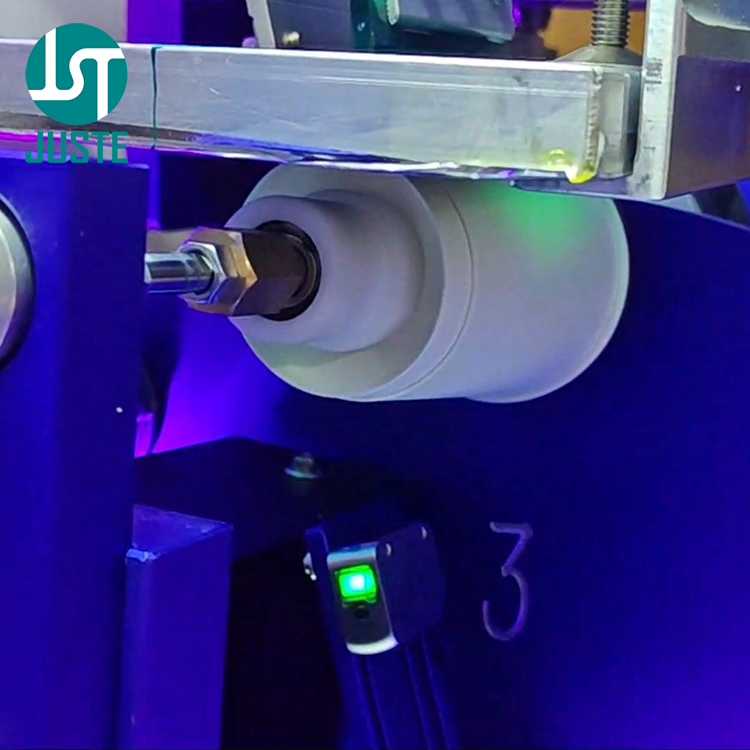
ถ้วยกระดาษมีตะเข็บแนวตั้งที่ทำให้พื้นผิวไม่เรียบ. เซ็นเซอร์เสริมนี้ ตรวจจับตำแหน่งของรอยต่อและส่งสัญญาณไปยัง PLC เพื่อ ข้ามการพิมพ์ เหนือพื้นที่นั้น – เพื่อให้โลโก้ของคุณไม่ตกบนรอยต่อ ทำให้ได้งานที่ดูเป็นมืออาชีพ.
ขั้นตอนที่ 6: สถานีพริ้นท์ – ความแม่นยำในทุกการเคลื่อนที่
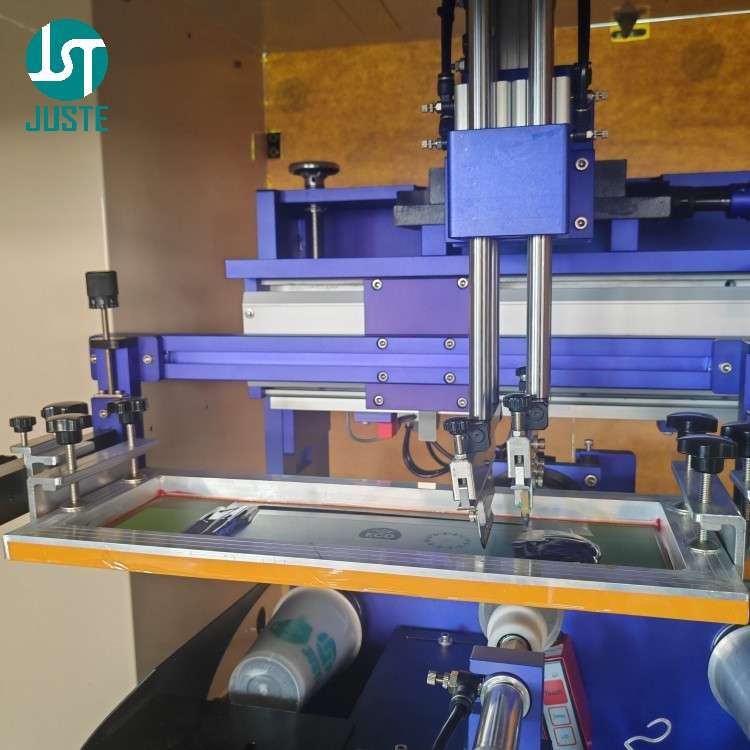
นี่คือหัวใจของเครื่องจักร.
- หนึ่ง แท่นจับยึดแม่เหล็กไฟฟ้า ด้านหลังของอุปกรณ์ยึดจะเข้าไปยึดและจับถ้วยอย่างแน่นหนา.
- เอ มอเตอร์เซอร์โวแบบหมุน หมุนถ้วยให้สอดคล้องกับการเคลื่อนไหวของหน้าจออย่างสมบูรณ์แบบ.
- ในขณะเดียวกัน, หนึ่ง มอเตอร์เซอร์โวเชิงเส้น ขับเคลื่อนหน้าจอ (ตาข่าย) ไปทางซ้ายและขวาผ่านสกรูแม่นยำของ TBI.
- ไม้ปาดหมึกกดลง ถ่ายโอนหมึกยูวีผ่านตาข่ายลงบนพื้นผิวถ้วย.
การเคลื่อนไหวทั้งหมดถูกควบคุมโดย PLC และ มอเตอร์เซอร์โวสองตัว – ให้คุณได้รับการลงทะเบียนที่แม่นยำ ±0.1 มม. ซึ่งทำให้งานพิมพ์หลายสีเป็นไปได้.
📐 Fixture Customization for Different Cup Sizes: Since cups from 4oz to 32oz vary significantly in diameter, taper, and height, we provide custom‑machined fixtures for each size. This three‑point support design ensures the cup remains stable during printing, thereby avoiding ghosting or misregistration caused by movement. For example, a 32oz large cup requires a dedicated fixture with taller support posts.
Step 7: Sensor Swap for Multi‑Colour Overprint
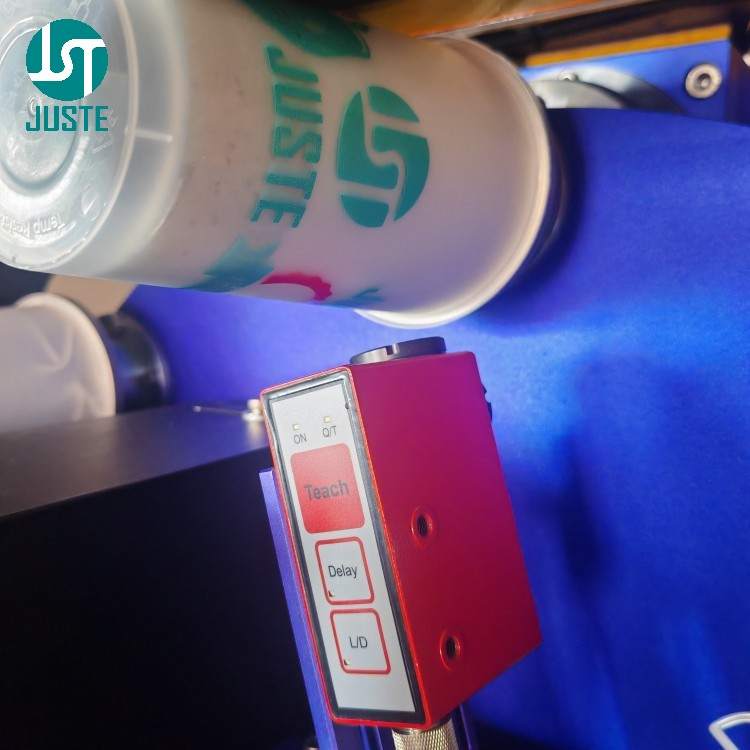
To print a second colour, we switch the seam‑line sensor (for paper cups) with a เซ็นเซอร์ความคมชัด Leuze. This sensor detects registration marks printed in the first pass and guides the second screen for perfect alignment – achieving multi‑colour results through sequential overprinting, all with the same single print head.
This is how we turn a single‑colour machine into a multi‑colour printer – without investing in a 4‑colour carousel.
Step 8: UV‑LED Curing – Instant, Energy‑Efficient
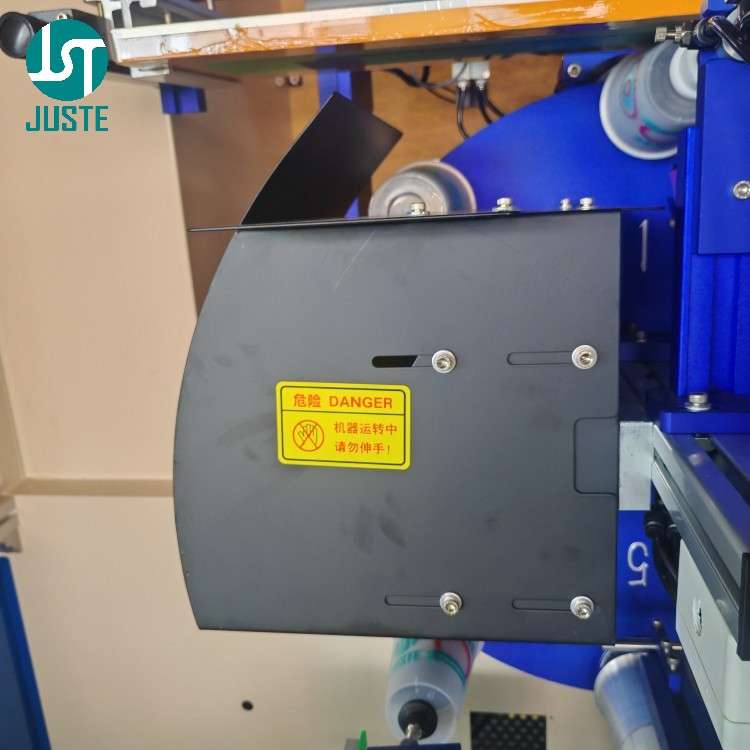
Immediately after printing, the cup passes under a 1 kW UV‑LED lamp (395 nm). The UV light instantly polymerises the ink, so cups can be stacked or packed right away – no drying racks, no waiting. You can adjust curing time directly on the touchscreen PLC to match your ink and cup material.
Step 9: Auto‑Unloading with Vacuum Suction
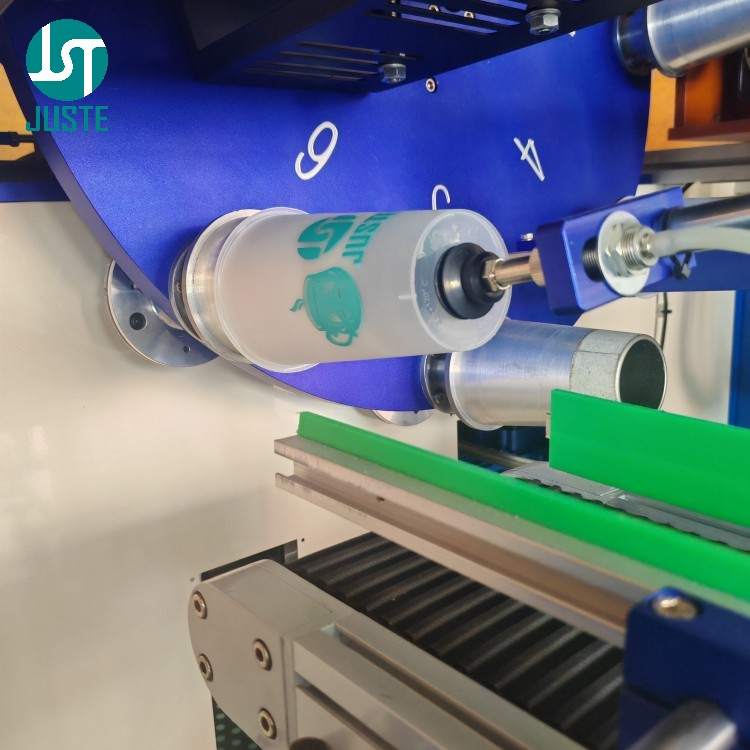
A second robotic arm picks the cured cup from the turntable using vacuum suction and places it onto an outfeed conveyor. Important design note: the fixture must not be too tight – otherwise the suction may not release the cup. Our engineers always verify the fit during fixture design to avoid this issue.
Step 10: Automated Stacking & Counting
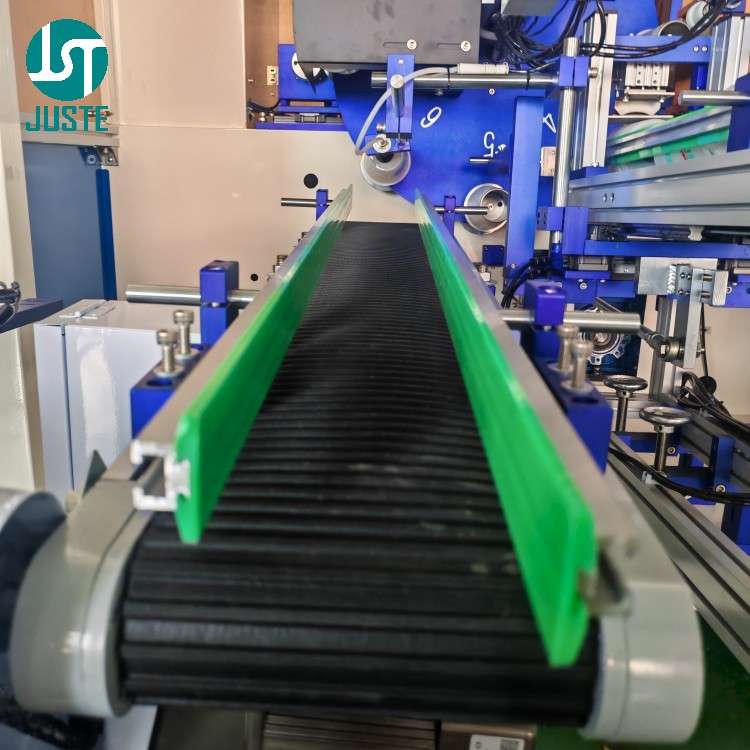
Cups on the conveyor are aligned and pushed into a stacking magazine. A sensor counts the cups; when the stack reaches a pre‑set count (say 50), an air cylinder separates it, and the stack is pushed to the packaging area. No manual counting or stacking – the machine does it all.
Step 11: Finished Product – Starbucks‑Style Coffee Cup

The final result: a beautifully printed tapered paper cup, with crisp edges, accurate registration, and a durable finish that survives hot beverages. Whether you are printing for coffee chains, bubble tea shops, or catering suppliers, the JST‑R300 delivers consistent quality – and you can verify it before you buy.
คำถามที่พบบ่อย (FAQ)
ถาม: คุณเป็นผู้ผลิตหรือบริษัทค้าขาย?
A: เราคือ ผู้ผลิตโดยตรง – Shenzhen Juste Machine Co., Ltd., established in 2013. We own a 9,000 m² factory with in‑house CNC, assembly, and testing lines. You deal with the factory, not a middleman. → Book a live video tour of our factory with our English‑speaking sales team.
Q: Can this machine print on my specific product (tapered cups, bowls, plastic bottles)?
A: Yes – it handles tapered cups, bowls, and conical containers from 4 oz to 32 oz, made of paper, PP, PET, or PVC. We custom‑machine fixtures for your exact product. (Note: it cannot print on straight cylindrical cups – the taper is essential for proper registration.) → Send us your sample for a free print test and live demo.
Above: Fixture size comparison – 4oz (left) vs 32oz (right). Each cup size requires a dedicated fixture for stable three‑point support.
ถาม: ทำไมราคาของคุณถึงสูงกว่าซัพพลายเออร์รายอื่นบางราย?
A: Because we don’t cut corners. We use genuine HIWIN guides, AIRTAC pneumatics, and TBI screws – all verified brands. Our machines undergo 48‑hour burn‑in and every unit is individually tested with your product before shipping. Based on our experience with clients in 120+ countries, paying slightly more upfront saves you far more in downtime and repairs. → Let us calculate your ROI based on your production volume.
ถาม: วิศวกรของคุณพูดภาษาอังกฤษได้ไหม? เราสามารถสื่อสารกันได้โดยไม่ต้องมีล่ามหรือไม่?
A: Absolutely. Our senior mechanical and PLC engineers are fluent in English – they will join your video call directly to answer technical questions, explain machine settings, and even guide you through maintenance procedures. No translation delays, no misunderstandings. → Schedule a 15‑minute video call with our English‑speaking engineer.
ถาม: ฉันสามารถดูเครื่องพิมพ์สินค้าของฉันก่อนชำระเงินได้หรือไม่?
A: Yes – we offer a สาธิตวิดีโอสดฟรี where we run your actual product samples. You’ll see the entire process in real time, and our engineer will explain every step in fluent English. If you’re not 100% satisfied, there’s no obligation. → Request your free live sample‑printing video now.
ถาม: ฉันสามารถตรวจสอบเครื่องก่อนจัดส่งได้หรือไม่?
A: Yes – we conduct a pre‑shipment video inspection with you. We’ll walk through the machine, show you the component brands, run a test, and confirm all configurations. Only when you sign off do we pack and ship. → Arrange your pre‑shipment video inspection.
ถาม: ทำไมโลโก้ที่พิมพ์ไว้ถึงลอกออกเมื่อใส่น้ำแข็งลงในแก้ว?
A: This happens because standard inks become brittle and lose adhesion at low temperatures. For cold‑drink applications, we recommend low‑temperature resistant PP screen printing ink, which maintains adhesion in freeze tests down to -38°C. We can recommend specific ink models based on your cup material and usage scenario. → Contact us for the perfect ink solution for your cold cups.
Q: Why do my printed cups have ghosting or blurry images?
A: Ghosting usually comes from two causes: unstable fixturing (the cup moves during printing) or uneven squeegee pressure. Our JST‑R300 ใช้ mechanical rack‑and‑pinion drive combined with a three‑point stable fixture to minimise mechanical vibration. We also provide technical support to help you adjust squeegee pressure (recommended 2.5‑3.0kg) for optimal results. → Contact us for technical support on ghosting issues.
Q: What maintenance does the machine require after printing?
A: After each printing session, we recommend cleaning the screen mesh with ตัวทำละลายล้างตะแกรง to remove residual ink and prevent clogging. Regular cleaning extends mesh life and ensures consistent print quality. Our English‑speaking engineers can guide you through the complete maintenance procedure on a video call. → Download our maintenance checklist or schedule a walkthrough.
วิธีทำความสะอาดผ้าสกรีนหลังการพิมพ์ (คู่มือฉบับย่อ)
Since screen mesh cleaning is essential for maintaining print quality, here are the basic steps:
- Remove the screen frame from the machine and place it on a flat, clean surface.
- Apply ตัวทำละลายล้างตะแกรง evenly over the mesh surface using a soft sponge or brush.
- Gently scrub both sides of the mesh to dissolve residual UV or solvent ink.
- Rinse thoroughly with water and blow‑dry with low‑pressure air.
- Inspect the mesh under light for any remaining ink particles – repeat if necessary.
💡 เคล็ดลับมือโปร: Our engineers can demonstrate this entire procedure on a live video call, tailored to your specific ink type and production volume. → Book a maintenance demo.
พร้อมที่จะเริ่มต้นธุรกิจการพิมพ์ของคุณหรือยัง?
You’ve just read a detailed walkthrough. Now imagine getting a private, real‑time video walkthrough of your own product being printed, guided by our 20‑year PLC engineer – ทั้งหมดเป็นภาษาอังกฤษที่คล่องแคล่ว ไม่มีอุปสรรคในการสื่อสารใดๆ.
นี่คือวิธีการทำงาน:
- ส่งแบบของคุณและตัวอย่างผลิตภัณฑ์เปล่าๆ จำนวนเล็กน้อยมาให้เรา.
- We custom‑machine a fixture and run your print test.
- We go live on video – our English‑speaking engineer shows you everything, answers your technical questions on the spot, and you see the final print result in real time.
There is zero risk. If you’re not 100% convinced, you walk away with no obligation. And before shipping, we’ll do a pre‑shipment video inspection with you, so you know exactly what’s in the crate.
ไม่แน่ใจว่าอันไหน เครื่องพิมพ์สกรีน fits your cup? Or need a custom fixture? Click the image below to chat with us directly.

อลัน
🟢 ออนไลน์อยู่ตอนนี้ — ตอบกลับภายในไม่กี่นาที
สวัสดีครับ ผมอลัน ผู้เชี่ยวชาญด้านโซลูชันการพิมพ์ของคุณ
คลิกรูปของฉันเพื่อแชทบน WhatsApp สำหรับ ใบเสนอราคาฟรี หรือนัดหมาย เยี่ยมชมโรงงานผ่านวิดีโอตอนนี้.
📧 อีเมล: Alan@justcig.com
💬 วอตส์แอปป์: คลิกเพื่อแชท(เปิดในแท็บใหม่)
🌐 เว็บไซต์: www.justemachine.com(เปิดในแท็บใหม่)